



Best Sunsama Alternatives in 2024



Sunsama Alternatives
TL;DR Summary
Motion
Best Sunsama Alternative For AI Task Planning (Assistant)

Akiflow
Best Sunsama Alternative for Task Consolidation

Morgen Calendar
Best Sunsama Alternative for Simple Tasks (Free Tier)

Amie Calendar
Best Sunsama Alternative For Aesthetic Task Planning (Free Tier)

Routine
Best Sunsama Alternative For Basic Task Planning (Free Tier)

Todoist
Best Sunsama Alternative for Simple Task Management (Free Tier)
Reclaim AI
More For Scheduling Meetings Rather Than Sunsama Alternative
Notion Calendar
Too Confusing To Be A Sunsama Alternative
Motion
Overview & Summary

Sunsama
Overview & Summary

Overview
So the truth is, Sunsama is one of the best daily planners on the market. It has a great user experience and a beautiful interface, and they have really honed in on their target market: people who love the ritual of daily planning. The people who love Sunsama most are those who come from using pen & paper for planning their tasks, and they enjoy spending 10-15 minutes mindfully planning their day 🧘♀️. But given you're on this page, our guess is this doesn't sound like you, so let's give you some better alternatives.
The first tool to consider (and what we use, as we don't have time for daily planning rituals when running the business), is Motion. Similar to Sunsama, Motion allows you to add in tasks but instead of you needing to manually plan your day, you just tell Motion the priority, deadline, start date, and it will automatically schedule the task into your day. What is this experience like? Well, you wake up, look at your calendar, and you see what you need to work on for that day. It's the closest thing to having and assistant. For us as a team, it more than pays for itself in the time it saves us.
Another popular Sunsama alternative for professionals is Akiflow. Akiflow is what we'd call a task consolidation tool. Basically, it's a task app, for all the tasks you have across every single software that you use. Have an email to answer? Task in your project management software? Message from Slack? Well, integrate all those apps to Akiflow so you have one master to-do list. Similar to Sunsama, you still need to manually time block tasks on your calendar, but you can also just keep them in a list format and triage through them that way. It's similar to Sunsama but with less of the "ritual planning" and "intentional planning".
Then you have your more barebones Sunsama alternatives like Morgen Calendar, Amie Calendar, Routine, and Todoist. All of these apps have a free tier, which might sound appealing, but you will be asked to upgrade at a point to unlock certain useful features.
Morgen & Amie are more so calendars first (rather than daily planners first). They allow you to add basic tasks or reminders on your calendar in time blocks, but they are both way more barebones than Sunsama. If you're looking for a more simple version of Sunsama, either apps are worth trying (heads up, Amie is iOS only at the moment, Morgen is Android + iOS).
Routine is a basic daily planner where you can add tasks and drag them onto your calendar, although it's still more basic than Sunsama. They are in building mode so they currently have a free tier, but unsure how long that will last.
Finally, Todoist is a Sunsama alternative if you just want an app to throw tasks in. While Todoist has a calendar view available on their Pro plan, it's also quite barebones compared to Sunsama. Todoist was always known for their simple tasks lists, and they recently introduced a calendar view due to popular demand from their customers. That said, it's a secondary feature rather than the main way folks use Todoist.
Limited Time Deal Available

14→30–Day Extended Free Trial
Motion
as a Sunsama Alternative

Sunsama
as a Motion Alternative
When to Use Motion as a Alternative
Motion isn't just a calendar, scheduler, task manager or project manager. It's really an assistant that takes all of this unique information, and uses it to build your perfect day, making it one of the best productivity tools on the market.
Motion is a great alternative for those seeking a daily planner or a project management solution.
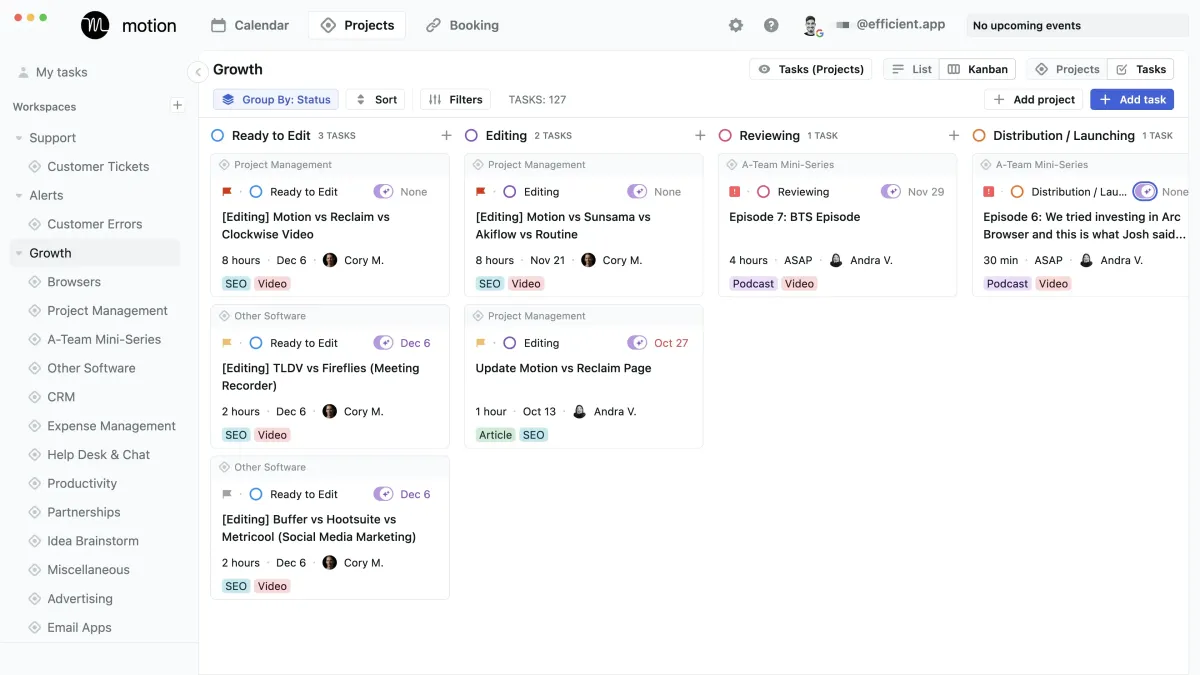
Use AI to plan your work, automatically. Be 137% more productive. Use the AI assistant for busy people and work teams.
AI Scheduling
It's differentiation comes into play with their AI scheduler that helps you plan your day (one of Motion's best features). Entering a task with Motion is easy, whether you're on your desktop app or mobile app. Simply tell Motion the task, the length of time to complete the task, the priority, the start and due date and Motion will organize your day based on what you entered and schedule tasks on your calendar into time blocks. For example, say you have a jam packed day, but and urgent task comes up. Simply tell Motion it needs to be done ASAP and it will shift all your other tasks to make space for the new task.
We personally use Motion here at Efficient App after using a myriad of tools over the years, including Asana, Calendly and Chili Piper. We love it as a project management solution, daily planner for time blocking and a meeting scheduler.
AI Scheduling
For those seeking a project management tool that is simple (< 50 team members), we recommend Motion as an alternative to Asana, ClickUp and Monday. While with Motion, you won't get reporting or dashboards for your tasks, it's helpfulness comes into play with team collaboration as all team members have tasks auto-scheduled right on their calendar. Motion is more focused on helping teams "get more deep work done" rather than "managing the work that needs to get done".
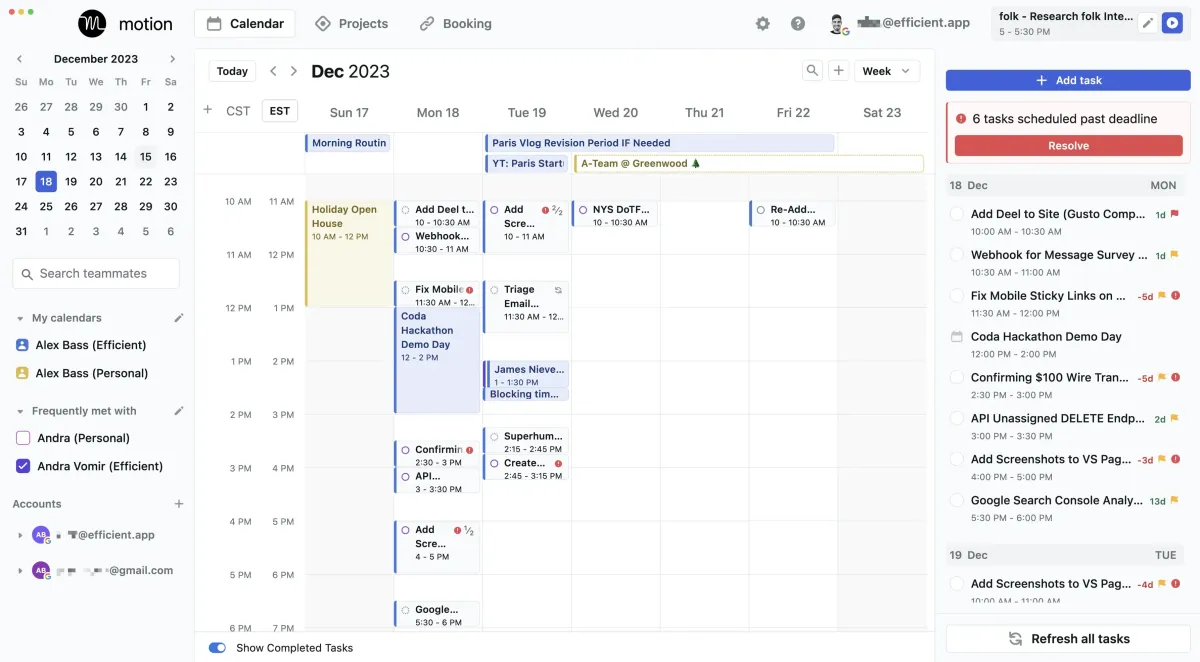
Motion calendar view with tasks auto-scheduled for the week (with time off)
Daily Planning
In the daily planning app category, Motion app has the most differentiation as it leverages the AI scheduler. Other tools like Sunsama or Akiflow are for those who want to manually plan their tasks onto their calendar, while Motion is more for the "hands off" type of folks who just want to show up to start their work day and see what's on the agenda to get done.
Meeting Scheduler
Motion's meeting scheduler makes it easy to share your availability with others to allow others to book meetings with you. If a new meeting is booked in, your daily tasks will be automatically re-scheduled around your new meeting. Viola! ✨
Overall, Motion is our top choice for an alternative to consider.
Limited Time Deal Available
Free Motion Setup Course



Motion vs Akiflow: Deep Dive Comparison
. Akiflow
as a Motion Alternative

Akiflow
as a Motion Alternative
When to Use Akiflow as a Alternative
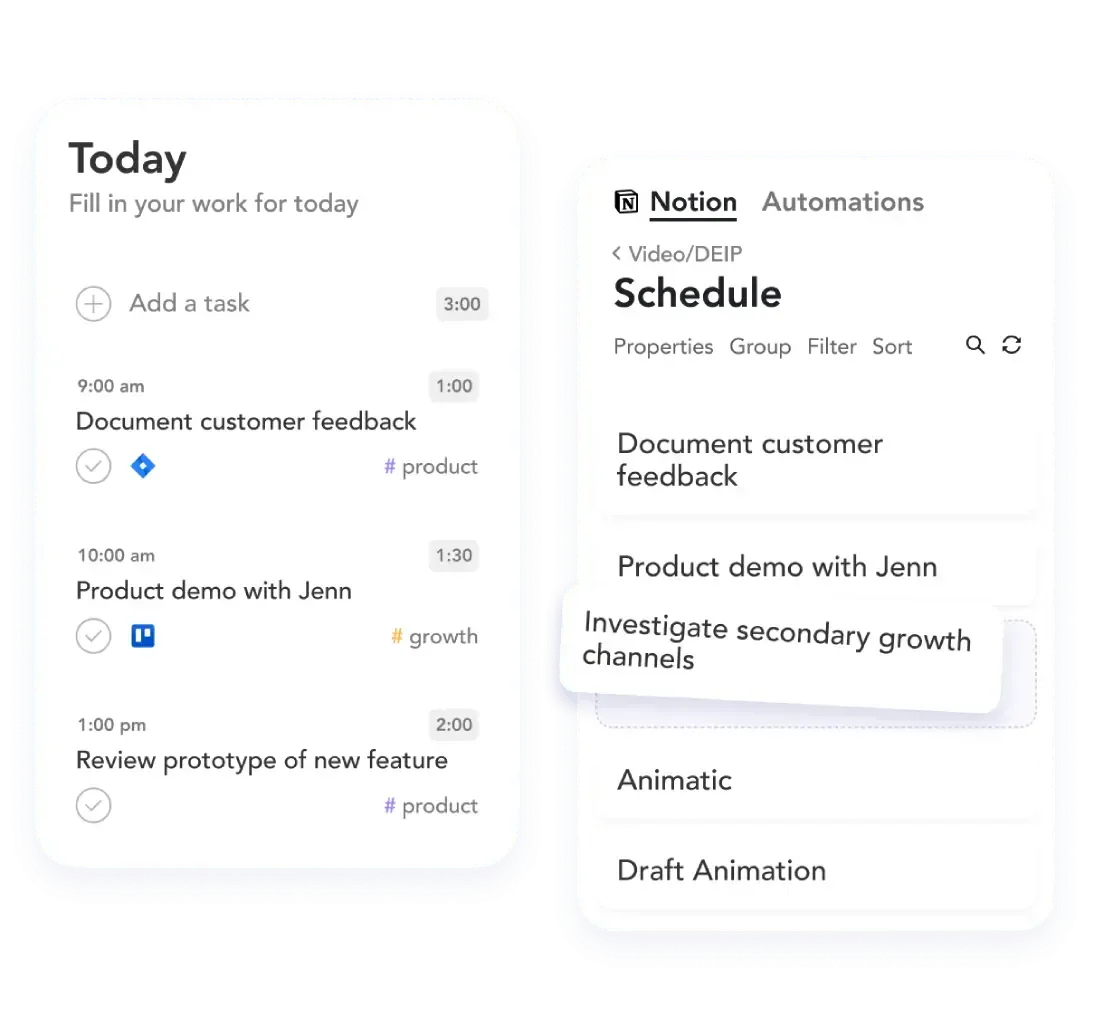
Akiflow is one of the top daily planner alternatives that most folks consider. Akiflow integrates with almost anything through their Zapier connector and allows you to pull your tasks into an universal inbox. Imagine tasks from your email, project management software, CRM and Slack all filtering into one inbox that you can triage through.
If you're juggling multiple tools like email, Google Calendar, Asana, ClickUp, and Slack, and want a daily planner to help you with time blocking, Akiflow could be a suitable option, as long as you're happy manually planning those tasks onto your calendar.
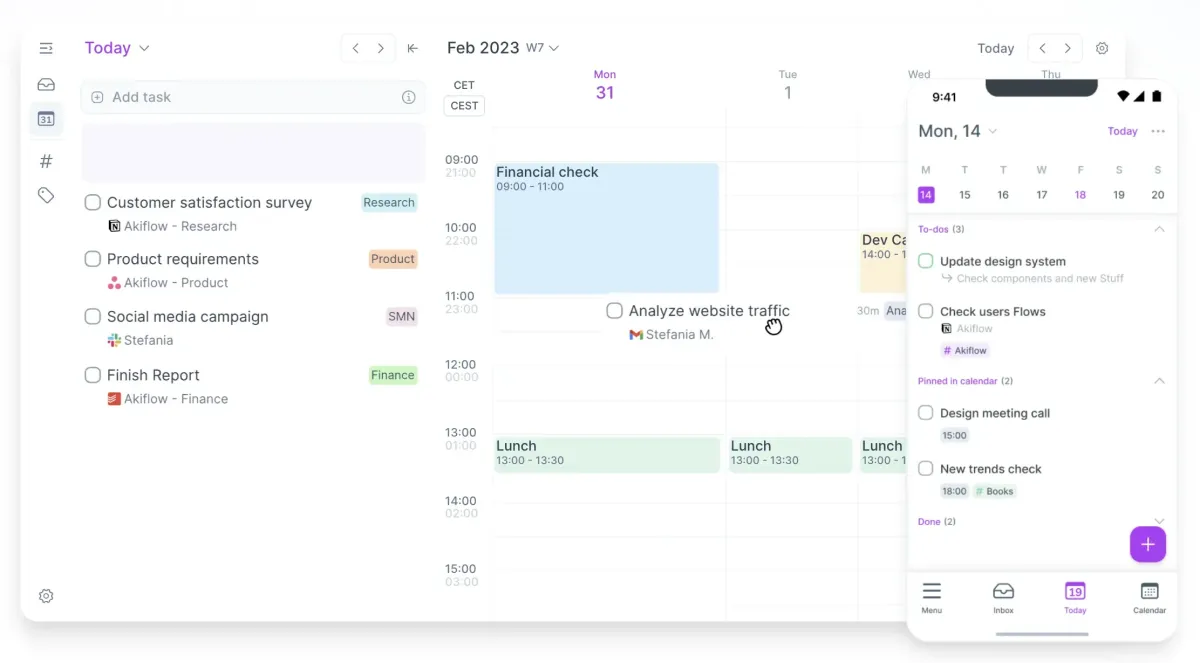
A daily planner tool to help you centralize your schedule.
Triage Tasks Quickly
Akiflow's powerful command bar allows you to plan tasks into time blocks on your calendar, snooze tasks, mark as done or assign labels for categorizing tasks. You can do all this through keyboard shortcuts, without even touching your mouse.
Time Blocking
Like with other daily planner apps, your tasks can be scheduled on your calendar into time blocks. You also get progress visualization to see how close a task is to being complete.
Manual Daily Planning
While other daily planners like Motion use AI to auto schedule your tasks onto your calendar (read our Motion app review), Akiflow along with Sunsama are the daily planners to use if you prefer to manually plan your day. We think Sunsama has a slightly more beautiful minimalistic design than Akiflow, although if that's not important to you, but integrations are, then Akiflow would be a better choice for you.
Meeting Scheduler
Akiflow along with Motion are the two daily planner apps that have meeting schedulers built in as a part of the tool. Akiflow's scheduler allows you to schedule and manage meetings, and share your availability with others.
Overall, if you're looking for a daily planner that can consolidate all your tasks from different tools in one place and integrations with numerous tools is important to you, then consider Akiflow.
Limited Time Deal Available
$10 Free Credit

Motion vs Akiflow: Deep Dive Comparison
Asana
as a Motion Alternative
Morgen Calendar
as a Sunsama Alternative
When to Use Morgen Calendar as a Alternative
Morgen is the best calendar alternative for those who are using iOS or Android and just want something simple. Morgen has a smooth user experience that is intuitive and nice design. It's a great all around calendar for your desktop + phone (although you'll need to upgrade on the paid tier to use it on your phone).
You can schedule meetings via a booking link, and manage basic tasks/reminders within Morgen. We recommend Morgen more for individuals managing personal tasks and simple work tasks.
As a daily planner alternative, Morgen is quite barebones and simple compared to others on the market. We recommend using Morgen if you more so want to dabble with daily planning with basic tasks to see if it's for you.
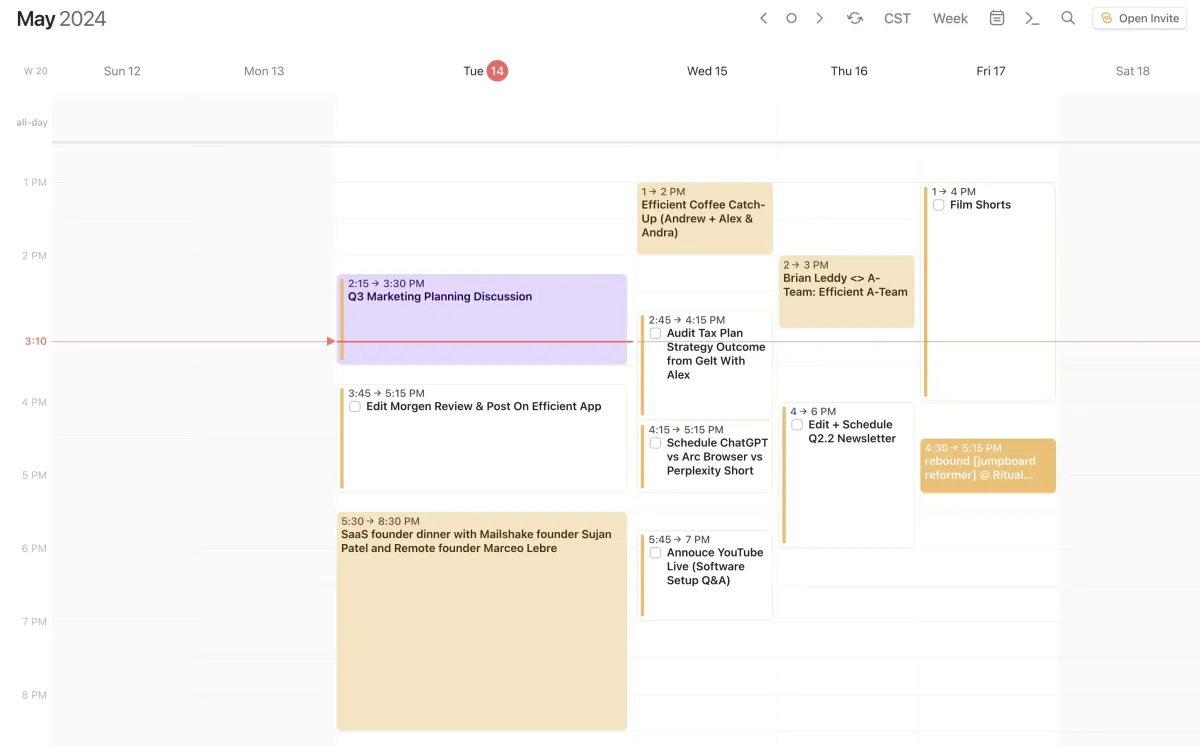
Turn to-dos into daily action plans.
Limited Time Deal Available
15% Off Annual Plans

Motion vs Asana: Deep Dive Comparison

Sunsama vs Morgen Calendar: Deep Dive Comparison

Reclaim AI
as a Motion Alternative

Routine
as a Sunsama Alternative
When to Use Routine as a Alternative
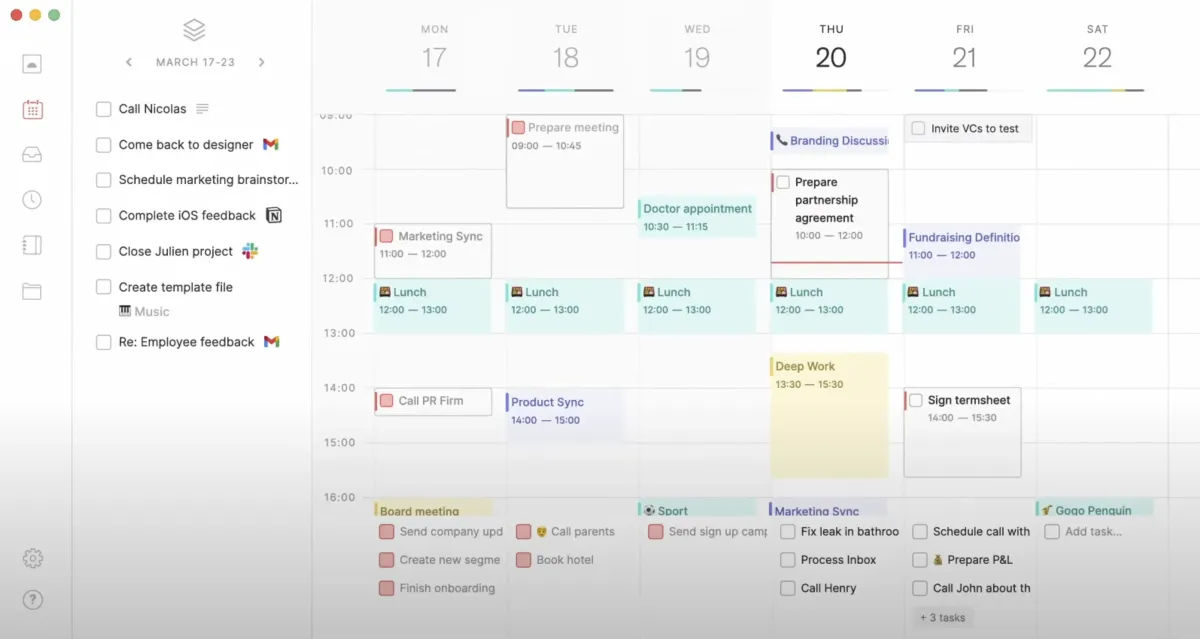
Routine is for individuals who are looking for a personal app to help with habit building, daily planning, task management and time blocking. It is an alternative for those looking for a personal task manager with time blocking capabilities, but less so an alternative for those looking for a daily planner for professional use.
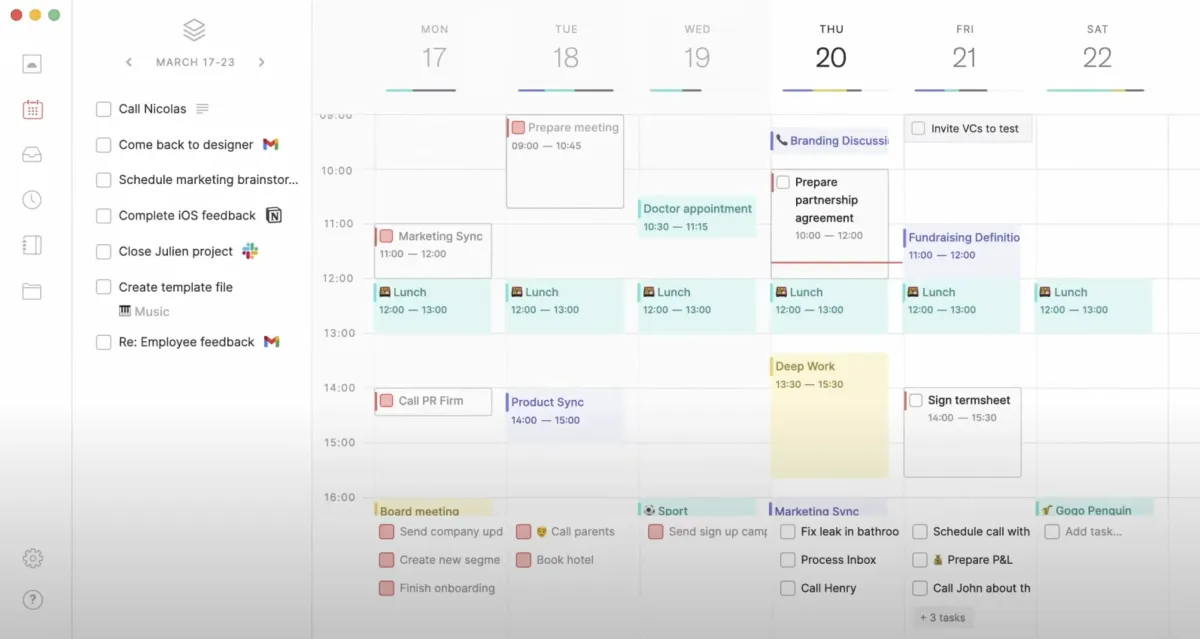
The all-in-one work platform Routine is the next-generation platform for professionals and teams to get things done faster!
Personal Task Management
The reason we categorized Routine for more personal use is because it's yet to integrate with other project management tools and has a less responsive time blocking experience than it's alternatives.
For instance, if you have a last minute task that arises, with other daily planner alternatives like Motion, Sunsama and Akiflow you can simply move around the task into a new time slot, shifting everything in a responsive fashion, with Routine would require you to manually shift all the other tasks around also which is time consuming.
Best Free Version Alternative
If you're new to time blocking and daily planning, definitely consider signing up for Routine as they have a free forever tier. Their free plan will let you plan your daily habits and tasks and you can see if it keeps you more on track with your specific needs. If you feel like you wish Routine has more functionality for business needs as you're using the app, then perhaps try a free trial of the other daily planners mentioned to see if any can help you get work done faster.
Minimalist Design
If you're new to time blocking and daily planning, definitely consider signing up for Routine as they have a free forever tier. Their free plan will let you plan your daily habits and tasks and you can see if it keeps you more on track with your specific needs. If you feel like you wish Routine has more functionality for business needs as you're using the app, then perhaps try a free trial of the other daily planners mentioned to see if any can help you get work done faster.
Limited Time Deal Available
Get 20% Off Your First Year


Sunsama vs Routine: Deep Dive Comparison

Motion vs Reclaim AI: Deep Dive Comparison
Routine
as a Motion Alternative

Amie Calendar
as a Sunsama Alternative
When to Use Amie Calendar as a Alternative
Consider Amie as a calendar alternative if you are just looking for something that is beautifully designed and you want a better user experience than Google Calendar. With Amie Calendar, you can add basic tasks, integrate your emails, and have basic meeting scheduling links. Amie Calendar is best for individuals looking to manage their personal tasks and some simple work tasks/reminders.
The all-in-one work platform Routine is the next-generation platform for professionals and teams to get things done faster!

Sunsama vs Amie Calendar: Deep Dive Comparison

Motion vs Routine: Deep Dive Comparison
Notion
as a Motion Alternative
Sunsama
as a Motion Alternative

Notion
as a Sunsama Alternative
When to Use Todoist as a Alternative
Todoist is a task management alternative for those who want an all around good-yet-basic task management app. With Todoist, you'll get task lists, kanban boards, and a calendar view (on the Pro tier). If you don't want all the bell's and whistles, yet want a modern task management app for personal tasks, then consider Todoist.
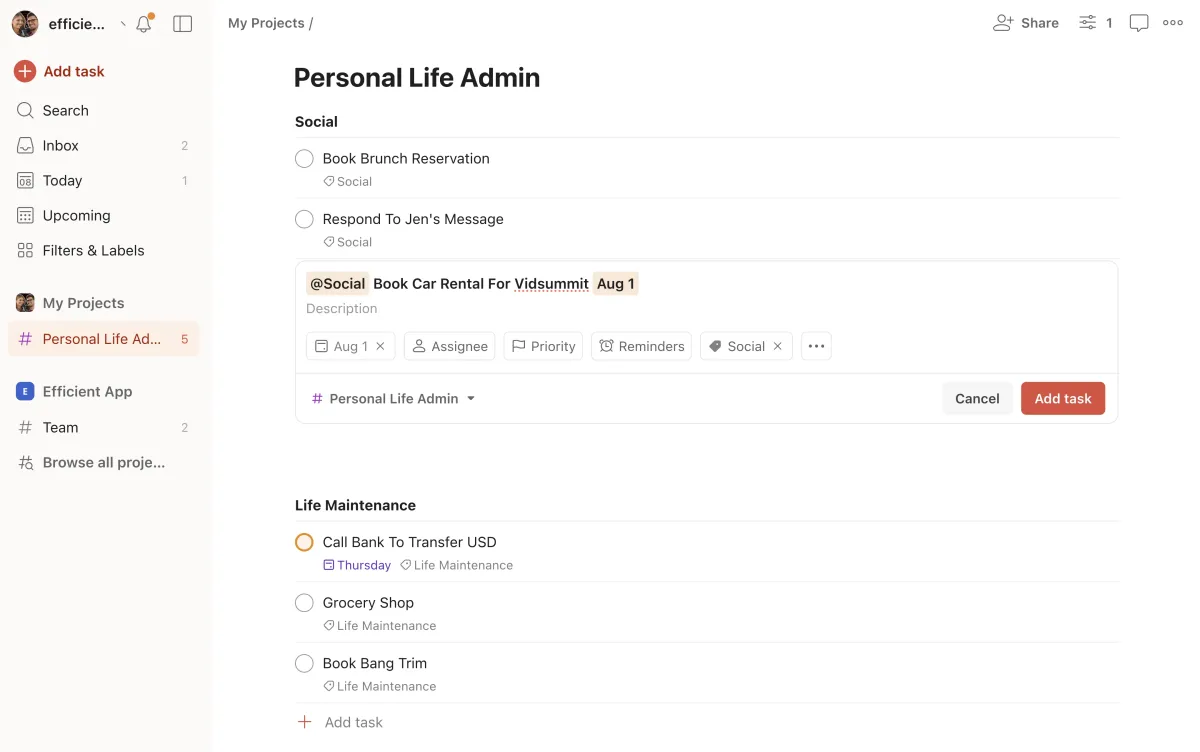
The all-in-one work platform Routine is the next-generation platform for professionals and teams to get things done faster!
Limited Time Deal Available
2 Free Months of Pro

Sunsama vs Todoist: Deep Dive Comparison
Motion vs Notion: Deep Dive Comparison
Other Notable Sunsama Alternatives
Reclaim AI as an Alternative
Consider Reclaim AI as a scheduling/time management alternative if you have many meetings and want an automated way to allocate time for focus work, lunch, and other activities throughout the day.
Reclaim was designed for folks working in corporate who feel the stress that there are not enough hours in the day to get work done (or eat lunch for that matter), and their team members are constantly pulling them in for meetings because they see an empty calendar. Not anymore with Reclaim as you can set Habits that will automatically block off time in your calendar. Reclaim uses AI to find the perfect time for all your habits each day, therefore allowing you to literally "reclaim" your time.
Notion Calendar (Cron) as an Alternative
Notion Calendar is a free & beautiful calendar app alternative. If you just want a free, nicer looking calendar, that allows for basic meeting scheduling, then Notion Calendar is a great choice.
If you're considering Notion Calendar as daily planner alternative, that's where it falls apart. To use Notion Calendar for as a daily planner, you'd need to be using Notion for task management, which strongly advise against (Read our full Notion Review to understand why). While avid Notion users (who have built their own task management system) may benefit from using Notion + Notion Calendar, this is not recommended for the average person—don't start down this rabbit hole. Instead, use any other daily planner alternative listed and you'll be in a better spot 👌
Subscribe to Our New Letter
Popular Comparisons
Top Project Management Software
Top Daily Planner Software
Top Email Clients
Top Productivity Software
Top CRM Software
Top Browser Software
Top Time Tracking Software
Top Help Desk Software
Top Expense Management Software
Top Calendar & Scheduler Software
Top Knowledge Base Software
Top No-Code Builder Software
Top Website Builder Software
Top URL Shortener Tools
Top Payroll & Benefits Software
Top Social Media Management Software
Popular Alternatives
Motion Alternatives
Sunsama Alternatives
Akiflow Alternatives
Asana Alternatives
HubSpot Alternatives
Pipedrive Alternatives
Copper Alternatives
General
About
Newsletter (Subscribe)
Customer Success
Stories
App
Top Picks
Software Discounts
Software Stacks
Podcast
Videos
Blog
Privacy Policy
Terms & Conditions
©2019–2024 Efficient App