



Best Motion alternatives for productivity




Best Motion alternatives for team collaboration
TL;DR Summary
Motion
Best AI Daily Planner for Teams

Sunsama
Best Motion Alternative For Time Blocking And Mindful Task Management

Akiflow
Best Motion Alternative For External Task Aggregation

Reclaim
Best Motion Alternative For Smart Meetings

Asana
Best Motion Alternative For Project Management Software

Routine
Best Free Personal Daily Planner Motion Alternative

Notion
The Motion Alternative to Skip

ClickUp
The All-In-One Motion Alternative

Monday
The All-In-One Motion Alternative

Calendly
Meeting Scheduler Motion Alternative

Wrike
Best Motion Alternative for Enterprise Teams
Motion
Overview & Summary
Motion Overview: Key Features and Benefits
Overview & Summary

Understanding Motion: A Comprehensive Overview
Motion is an advanced project management tool, helping optimize workflows and build team productivity. Its features include task automation, real-time collaboration, and efficient time management, to help teams stay organized and focused. Seamless integrations and intuitive interface make it a powerful solution for businesses of all sizes in achieving operational efficiency and success.
An Introduction to Motion: The Ultimate Productivity Tool
Motion is a project and task manger that uses AI to help you plan your workload, schedule your meetings and automatically build your to-do list based on your projects. It's great for teams 1-50 that are looking for an effective way to manage their projects and get more done faster (and spend less time planning their day).
Why Choose a Motion Alternative?
However, in terms of choosing a solution for task management and productivity, you should check whether the solution fits your particular requirements and needs of your team. While Motion is certainly a powerful platform, sometimes other options provide superior functionality, greater customization, or better value overall. Reviewing other choices may lead to finding one more suited to your workflows, budget, or your overall organizational goals.
Key Reasons to Seek Motion Alternatives
Personalized Options: Teams may have more extensive personalization requirements or feature requirements that Motion doesn't cater to.
Ease of use: The interface of Motion could be too cluttered, and some users may find alternatives easier to operate or more streamlined.
Niche Functionality: Alternatives may provide focused features such as sophisticated project management, time tracking, or resource allocation to your business needs.
Cost Efficiency: It depends on the budget of your team, but an alternative to Motion may offer lower pricing or better value for the features that you need.
Integration Flexibility: Other alternatives may be able to offer stronger integrations with the tools and software that your team is already using, offering a smoother workflow.
Exploring Better Options for Automatic Task Scheduling
Effective task scheduling ensures smooth workflow execution and meeting of priorities in an efficient manner. Automation reduces the mundane repetition in tasks for teams so that they concentrate on high-value activities. All tools, however, are not equal and some may lack either flexibility or advanced features required to cater to the needs of diverse teams. You would explore alternatives to discover platforms that combine robust automation, intuitive interfaces, and seamless integration with existing tools.
The proper scheduling solution can empower your team with advanced customization and tailored features that address unique objectives. These alternatives often excel at improving cooperation and eliminating inefficiencies while facilitating clarity in task management. A properly chosen platform aligned with the goals of your team is likely to deliver greater levels of productivity, better workflows, and an organized approach to managing project success.
Limited Time Deal Available

Free Motion Setup Course (Once Released)

Sunsama
A Balanced Approach to Task Management
Sunsama
as a Motion Alternative
Discovering the Best Scenarios for Sunsama
Sunsama: The Top Solution for Balanced Productivity and Task Planning
Optimizing Your Schedule with Sunsama’s Time Blocking Features
Sunsama helps in managing time in a good way by creating specific time slots for various tasks through its time-blocking feature. With this method, important work is prioritized while minimizing distractions, enabling someone to stay focused all day. With its friendly user interface and seamless integration, Sunsama provides effective structuring of your time schedule that would increase the chances of a more productive and successful task.
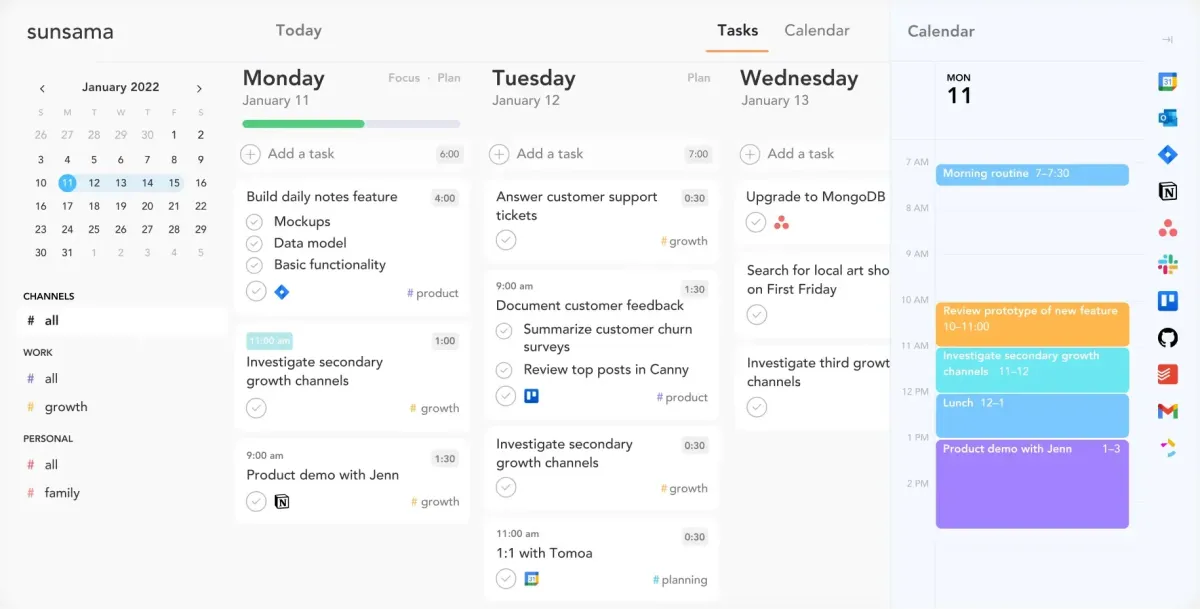
A digital planner to keep you calm, focused, and organized.
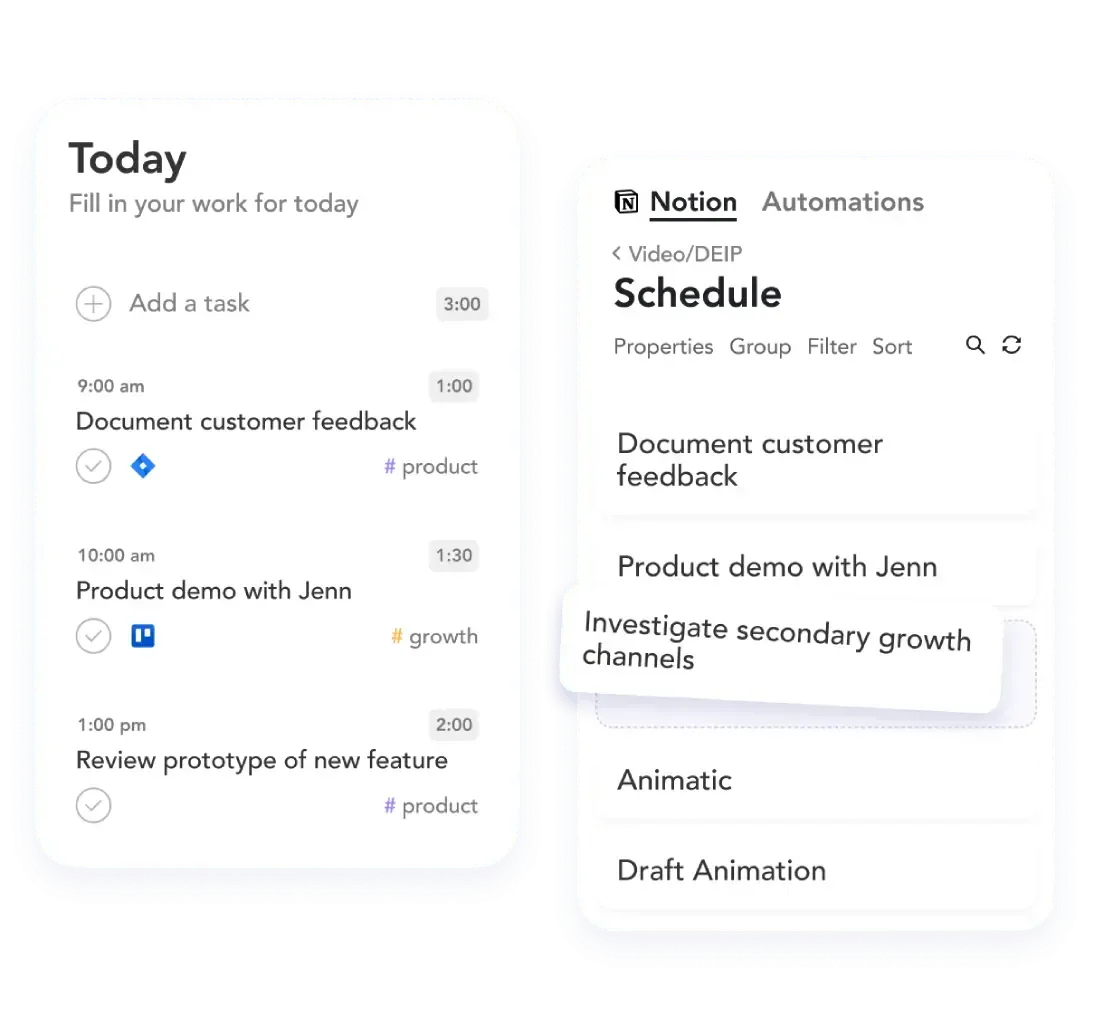
Sunsama's Advanced Scheduling Features for Efficiency
Sunsama streamlines the management of tasks using features such as time blocking, automated prioritization, and real-time syncing. Its intuitive interface ensures that tasks and events are seamlessly integrated to enable organization and focus. Designed for efficiency, Sunsama reduces overwhelm while maintaining a purposeful, well-structured schedule.
Master Sunsama with These Essential Keyboard Shortcuts
Sunsama offers a set of keyboard shortcuts that are aimed at raising productivity and streamlining the task management. These shortcuts provide you with smooth navigation, which means you can access and manage your tasks, time blocks, as well as other features quickly without the clickry excess mouse clicks. Mastery of such keyboard shortcuts helps achieve high workflow efficiency, saves extra time wasted on navigation processes, and enables more focus on executing tasks.
Sunsama Integrations
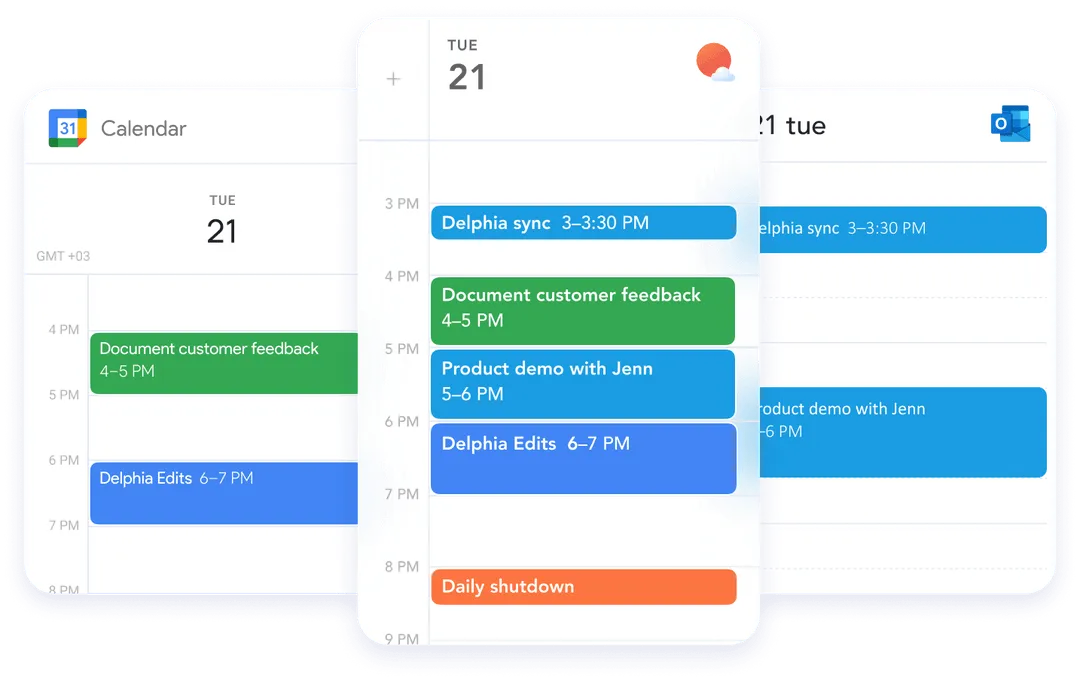
Sunsama is also a great productivity tool if you're already using a project management software at work and you are looking for a daily planning tool to help schedule your work day tasks into time slots on your calendar (as if they are calendar events).
Sunsama natively integrates in with project management tools such as Asana, Monday, ClickUp or Notion, allowing you to easily pull tasks from other tools into time blocks on your calendar using Sunsama.
Sunsama Keyboard Shortcuts
A quick note that Sunsama doesn't have appointment scheduling like Motion app does, so if this feature is important to you, you may want to consider other calendar tools (such as Calendly) that have meeting scheduler capabilities.
Overall, if you're looking for the best daily planner app that allows for manual daily planning, Sunsama is our top recommendation.
Start your 30 day free trial of Sunsama here.
Limited Time Deal Available
14→30–Day Extended Free Trial
. Akiflow
as a Motion Alternative

Akiflow
as a Motion Alternative
When Akiflow Excels as a Motion Alternative
Akiflow: It is ideal for streamlined, calendar-focused task management.
Master Your Schedule with Akiflow's Daily Planning Tools
Akiflow literally streamlines daily planning by integrating all your tasks, events, and reminders into one seamless, intuitive place. Akiflow's masterful design really helps you prioritize, stay organized, and not lose focus on what matters most.
Akiflow enables you to manage time in the smartest of ways, helps you handle both personal and professional goals with ease.
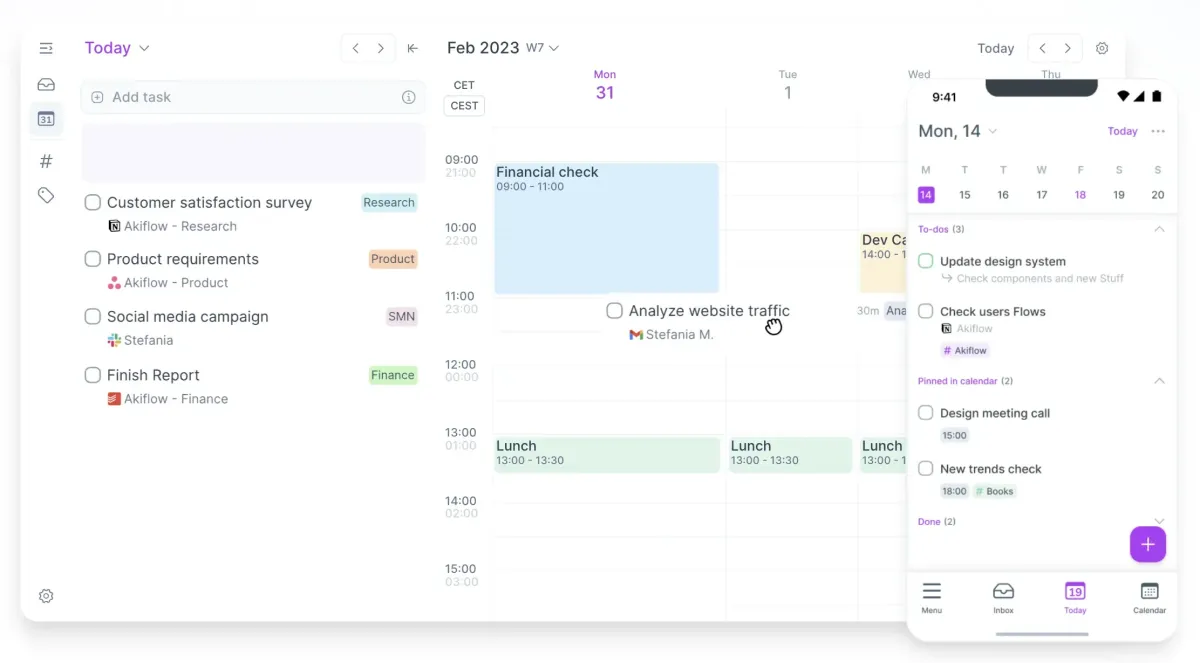
A daily planner tool to help you centralize your schedule.
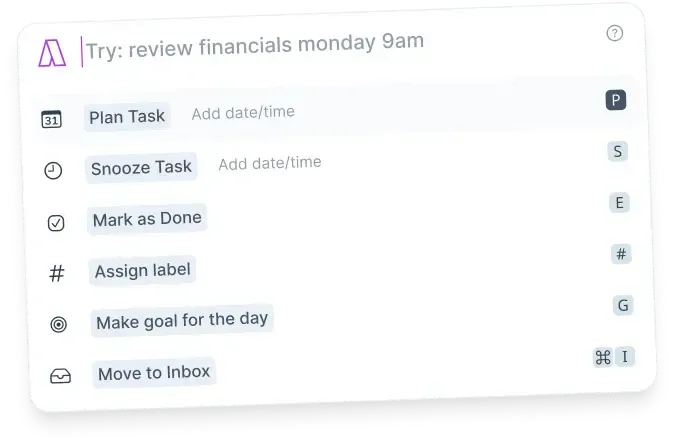
Akiflow's command bar that allows for natural language commands
Harness the Power of Akiflow's Intuitive Command Bar
Akiflow Command Bar is used to boost productivity because it provides easy access to all the most-needed features in one interface-the creation of new tasks and events, as well as navigation overall.
Evaluating Akiflow’s Cost-Effectiveness for Teams and Individuals
Akiflow offers flexible pricing plans for individuals and teams, with a high return on investment, and also includes a comprehensive suite of features such as task management and productivity tools, with several integrations, to present the ultimate value for professionals and organizations.
Its seamless collaboration tools enhance its affordability for teams, while cost-effective plans tailored to the essential functionalities are there for individual users. This way, users only pay for what they need, with Akiflow being an especially efficient and budget-friendly task management tool.
Simplify Your Scheduling Process with Akiflow
Akiflow's meeting scheduler streamlines the process of scheduling, integrating with popular calendars to minimize reiterations through back-and-forth emails. It features the ability to prioritize tasks while efficiently coordinating meetings. This streamlines time usage and keeps things organized with automated scheduling.
Start your 7 day free trial of Akiflow here.
Limited Time Deal Available
$10 Free Credit



Motion vs Akiflow: Deep Dive Comparison
Asana
as a Motion Alternative

Asana
as a Motion Alternative
Is Asana the Right Alternative for Your Team’s Needs?
Asana:When Asana is the Best Alternative for Project-Centric Teams
Why Asana Stands Out as a Motion Alternative for Task Management
Asana, in this respect, would be an appropriate alternative to Motion because it is a platform that prioritizes order and structured management. Therefore, its user-friendly interface and all project management functionalities help teams track progress, set priorities, and manage deadlines efficiently. In addition to this, Asana is more focused on the organization of tasks and projects using customizable workflows and detailed reporting, so it is perfect for those that need transparency and fluid collaboration around the workplace. It provides a scalable solution which increases productivity without the overhead of too much flexibility.
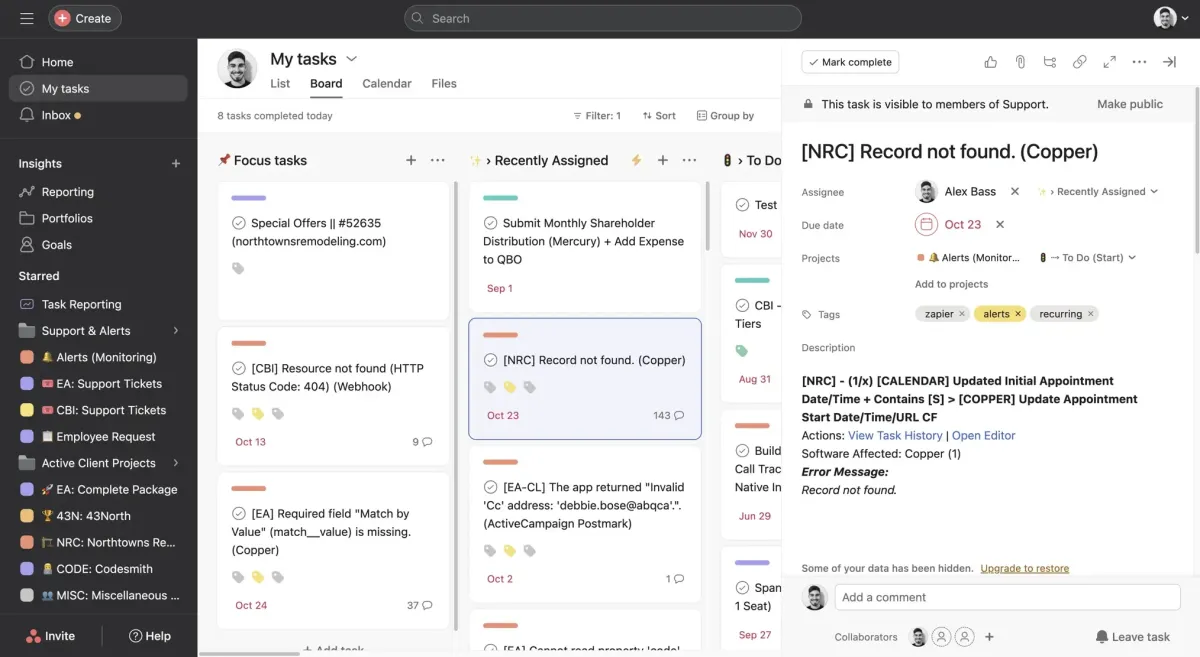
For medium + large teams looking for a task-based project management tool, where goals and reporting are important.
Key Features of Asana for Streamlined Project Management
Asana provides an integrated suite of features, which would effectively enhance project management and team collaboration. Its friendly task management system allows teams to assign tasks and set deadlines and monitor progress with collaboration across all stages of the project. This service accommodates the different workflows using customizable views that can be in list, board, or calendar formats to enhance project tracking.
It provides automation to remove redundant tasks, thus streamlining the process of the project. It collaborates with all tools like Slack, Google Drive, and Microsoft Teams to communicate smoothly and share files. Asana also provides robust reports for making informed decisions, thus keeping the project in control.
Unlocking Insights with Asana’s Advanced Reporting Tools
Asana offers comprehensive reporting into project progress, allowing teams to track and monitor key metrics of performance, identify bottlenecks, and optimize workflows. This enables more data-driven decision-making on a project and helps improve productivity on the team.
Exploring Asana’s Free Version: What’s Included?
Asana's free version provides basic tools that are essential for streamlined team collaboration, task management, and project tracking. These include essential features like task assignments, project boards, and basic integrations, making Asana suitable for small teams or individual users.
Limited Time Deal Available
Free Premium Support, Content, & Tools

Motion vs Asana: Deep Dive Comparison

Motion vs Asana: Deep Dive Comparison
Reclaim AI
as a Motion Alternative

Reclaim AI
as a Motion Alternative
When Reclaim AI is the Better Alternative
Reclaim: When Reclaim AI is the Better Alternative
Discover how Reclaim AI transforms task scheduling and calendar automation with a smart, efficient solution for those searching for an alternative with more power than traditional time management tools-all without a hitch.
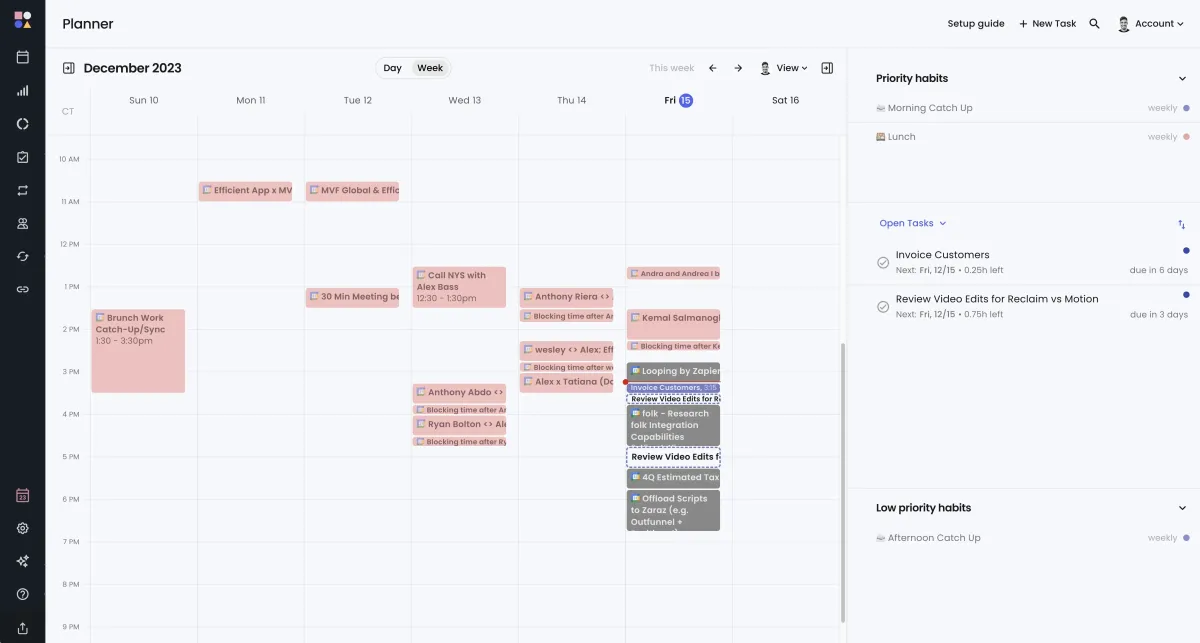
An intelligent habit and task time-blocking and event scheduling layer atop your calendar.
Reclaim AI Tasks
Reclaim AI changes the aspect of task handling through intelligent prioritization based on deadlines and calendar availability. Therefore, the integration into any workflow avoids interruptions with work since every task is planned effectively for your high-priority work.
Dynamic update and real-time adjustment with changed schedules keep it in an optimized, balanced workload profile. Managing day-to-day tasks and long-term goals is efficiently handled by Reclaim AI, ensuring you are productive and organized.
Automated Meeting Planning with Reclaim AI
Reclaim AI is revolutionizing meeting planning with intelligent automation, aligning schedules with your availability and priorities. It integrates with your calendar to place the most optimal meeting locations with minimum conflict or need for manual adjustments.
This rescheduling and prioritization skill allows its users to maintain a good workday mix of professional and personal commitments. Reclaim AI is the perfect solution for professionals looking to streamline their scheduling process to increase productivity.
Limited Time Deal Available
Get 20% Off Your First Year
Motion vs Reclaim AI: Deep Dive Comparison

Motion vs Reclaim AI: Deep Dive Comparison
Routine
as a Motion Alternative

Routine
as a Motion Alternative
When Routine Outshines Other Alternatives
Routine: A Powerful Task Management Alternative
Routine promotes a streamlined approach toward daily planning by combining tasks and calendar events into one friendly, easy-to-handle interface. It's great for people looking for efficient time management and a simplified workflow.
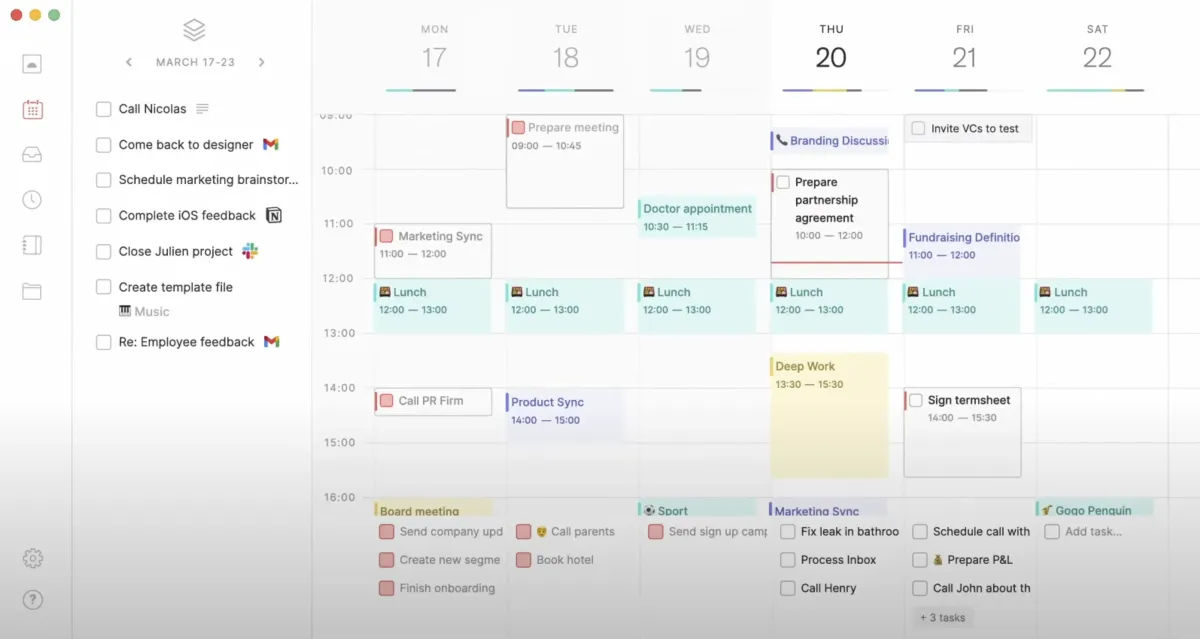
An intelligent habit and task time-blocking and event scheduling layer atop your calendar.
How Routine Helps You Maintain a Healthy Work-Life Balance
But having a routine structured in a particular time does help you to maintain a healthy work-life balance. It helps you differentiate time for work and personal stuff and, thus, enables smooth control over time.
Not changing your routine often doesn't let stress build up within you; it would not let you feel flooded, as this can eventually result in burnout. This ensures you hit your deadlines without making a mess of your personal well-being.
Having a balanced routine really helps with being productive and focused. When you set clear boundaries, you can totally concentrate on work when you need to, and also give time to personal stuff, for a more rewarding and efficient day.
If you are looking for a free daily planner app, sign up for Routine here.
Motion vs Routine: Deep Dive Comparison

Motion vs Routine: Deep Dive Comparison
Notion
as a Motion Alternative
Sunsama
as a Motion Alternative

Notion
as a Motion Alternative
The Right Time to Switch to Notion for Better Productivity
Notion: The Motion Alternative to Skip
So, when you're picking the right tool for your workflow, you've gotta see the perks Motion has compared to Notion. Notion's all about customization, but Motion is way more straightforward in managing tasks and scheduling. With its automated task prioritization and time-blocking stuff, your team can stay organized with hardly any manual work, which is perfect for folks who want things to be efficient and clear.
Unlike Notion, which is super flexible but kinda confusing to set up, Motion gives you a more straightforward and organized vibe. With its built-in automation, Motion is a no-brainer for boosting productivity purposes that would better suit the needs of teams when it comes to simplicity, organization, and easy time management.
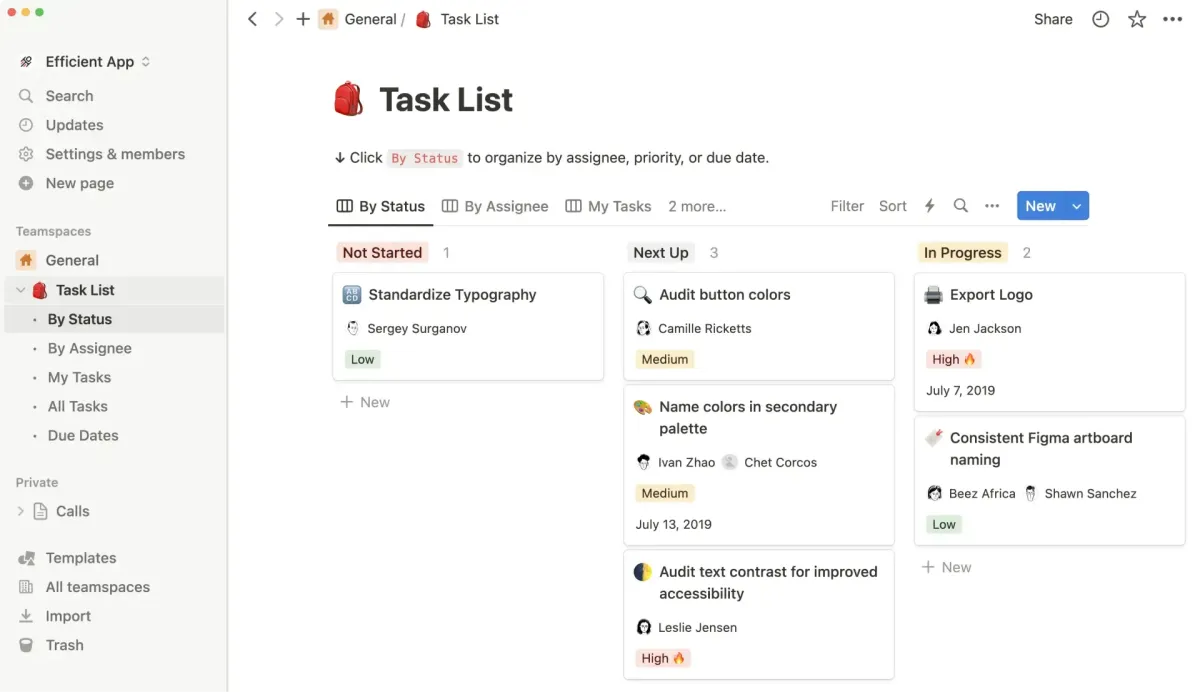
An intelligent habit and task time-blocking and event scheduling layer atop your calendar.
Why Notion May Not Be the Best Fit for Every Team
Notion's vast customization options may be a boon to some but work against teams that want simple, streamlined project management. It may hinder tracking and teaming capabilities for more involved or extensive projects.
Overcoming Team Adoption Hurdles with Notion
Notion has a steep curve of learning, thus providing obstacles to effective team adoption. Motion features an easy-to-use interface and workflows automatically set up for seamless onboarding and fast flow of an efficient collaborative environment of a team.
Can Notion Replace Motion for Task Management?
While Notion provides flexibility, Motion stands out with its advanced task automation and seamless time-blocking capabilities, ensuring a more efficient, focused, and streamlined approach to managing tasks and productivity.
Sign up for Notion for free here.
Motion vs Notion: Deep Dive Comparison

Motion vs Notion: Deep Dive Comparison












Discover Other Powerful Alternatives to Motion
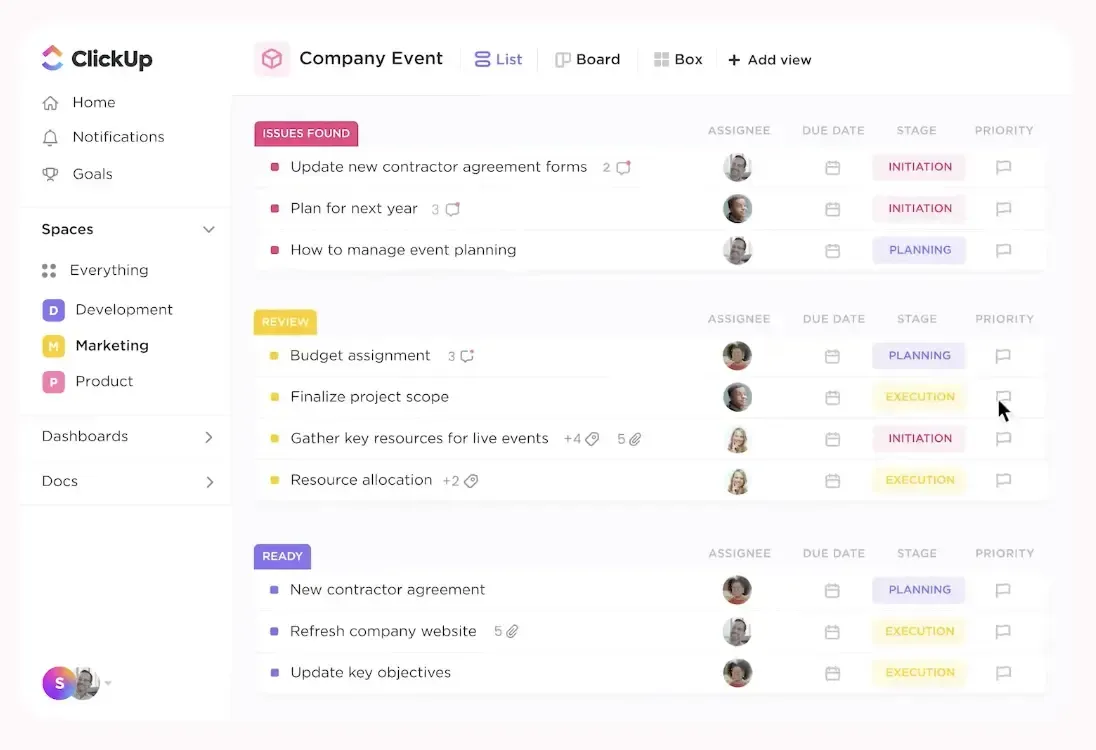
ClickUp Dashboard & Task List
Exploring ClickUp for Enhanced Task Management
ClickUp offers a broad range of features for task organization and collaboration with fellow members. However, it has made Motion more streamlined for the pursuit of peak productivity with advanced time-blocking and intelligent scheduling.
Revolutionize Your Day with an All-In-One Platform
Motion provides a comprehensive all-in-one solution, integrating task management, time-blocking, and intelligent scheduling into a unified platform. Unlike traditional tools, it simplifies workflows by automatically prioritizing tasks and adjusting your calendar, enabling you to stay focused and organized without the need for multiple applications.
What distinguishes Motion is its ability to tailor itself to your specific needs, automating time allocations and adapting to your work style. This personalized approach enhances productivity by ensuring tasks are completed efficiently and with minimal effort, streamlining your day and fostering greater focus and effectiveness.
Customized Hierarchy of Tasks
The only time we'd encourage you to consider Notion as a task management tool is if you're an individual working alone, if you have a very small team (2-3 members maximum). While Notion is often praised for being one of the ultimate productivity apps, it lacks key features out of the box that helps with daily planning or task management.
Overall, you can consider ClickUp as an alternative to Monday or Asana. Monday is more feature rich for complex projects that require a lot of reporting, while Asana is generally a more stable project management tool, with better API/Integrations.
Try ClickUp for free.
Monday as an Alternative
Monday as an Alternative
Monday.com markets itself as one of the best all-in-one project management tools. Monday has done a good job at giving Asana a run for their money when comparing Monday vs Asana head-to-head. Monday.com has built robust project management features that an enterprise can use, yet they also really hit the ground running with amazing marketing to appeal to the average business owner.
Many folks are drawn to Monday because of their great marketing, pretty user interface with lots of vibrant colors that seem to make project management more fun. But in reality, like Asana, it's not a super opinionated project management software tool, meaning that you can "set it up however you want" which can be confusing for an average business that doesn't have a dedicated project manager on their team.

Complex Projects
Monday has highly customizable workspaces and dashboards and because of this can accommodate super complex projects. For example, teams that want advanced project management features like risk registers, RACI charts, retro logs, submittal/RFI/ASI logs, dashboards for PMO-Level, and file versions would enjoy Monday. Monday also has a ton of native integrations with third party tools like Slack, Google Sheets, Jira, and Salesforce among many others.

Visual Project Tracking
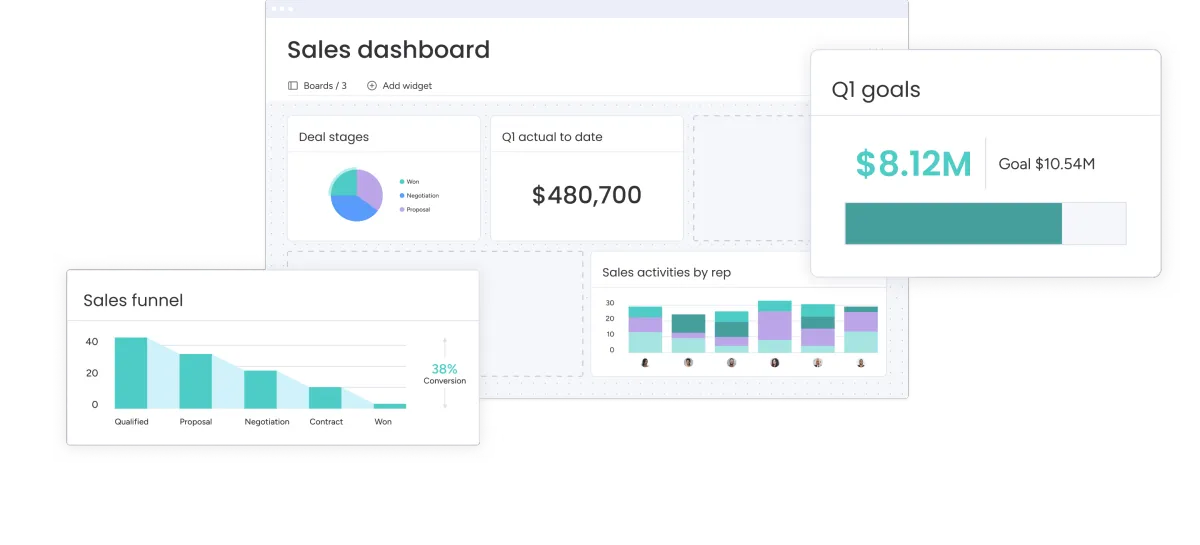
With Monday, you'll get all your typical task list views that other project management tools offer, including gantt charts, and calendar views. Also, dashboards can be customized with various widgets for more dynamic reporting and data visualization, offering a more comprehensive overview of project metrics and insights.

Time Tracking
Monday and ClickUp are the two project management tools that offer native time tracking. While we prefer dedicated apps for time tracking, (like Harvest), if you're looking for a project management tool with time tracking, Monday would be an Asana alternative to consider.
If you're looking for a more traditional project management tool as an Asana alternative, check out Monday.
Get started with Monday for free.
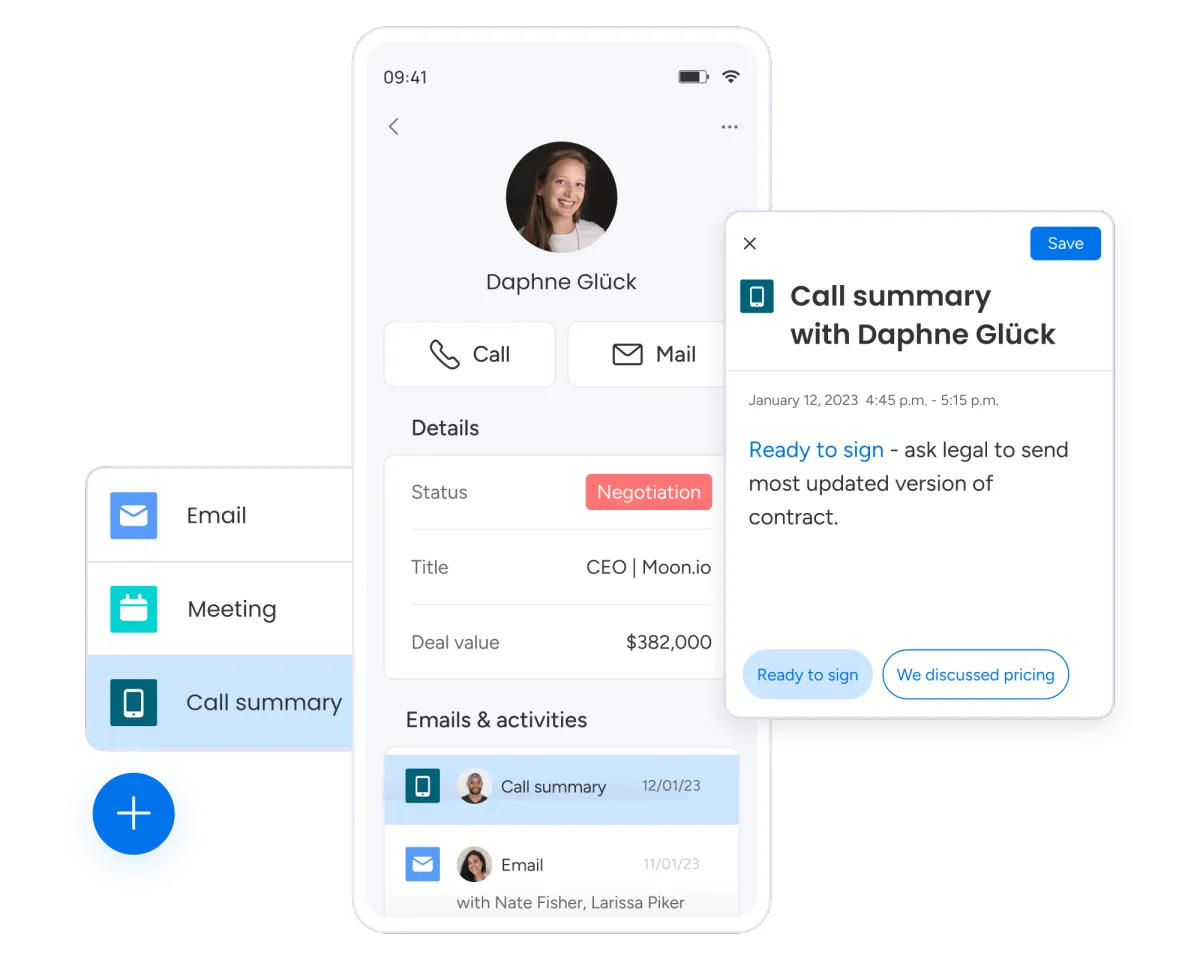
Monday as a CRM Alternative
Monday is first and foremost a project management software, but in their efforts to gain more market share, they expanded into the CRM category. The main reason someone may want to use Monday as a CRM is if they are already using Monday for project management, and want to stay within the Monday ecosystem. Because the CRM + project management software are built by the same company, they integrate seamlessly which is the main benefit.
In general, we don't recommend Monday as a CRM as you're going to get a much better experience with a tool that was built primarily to be a CRM (not an after thought). You'd be much better with the other CRM alternatives listed here, including Copper, Pipedrive, HubSpot or Salesforce (enterprise).
Calendly as an Alternative
Meeting Scheduler Alternative
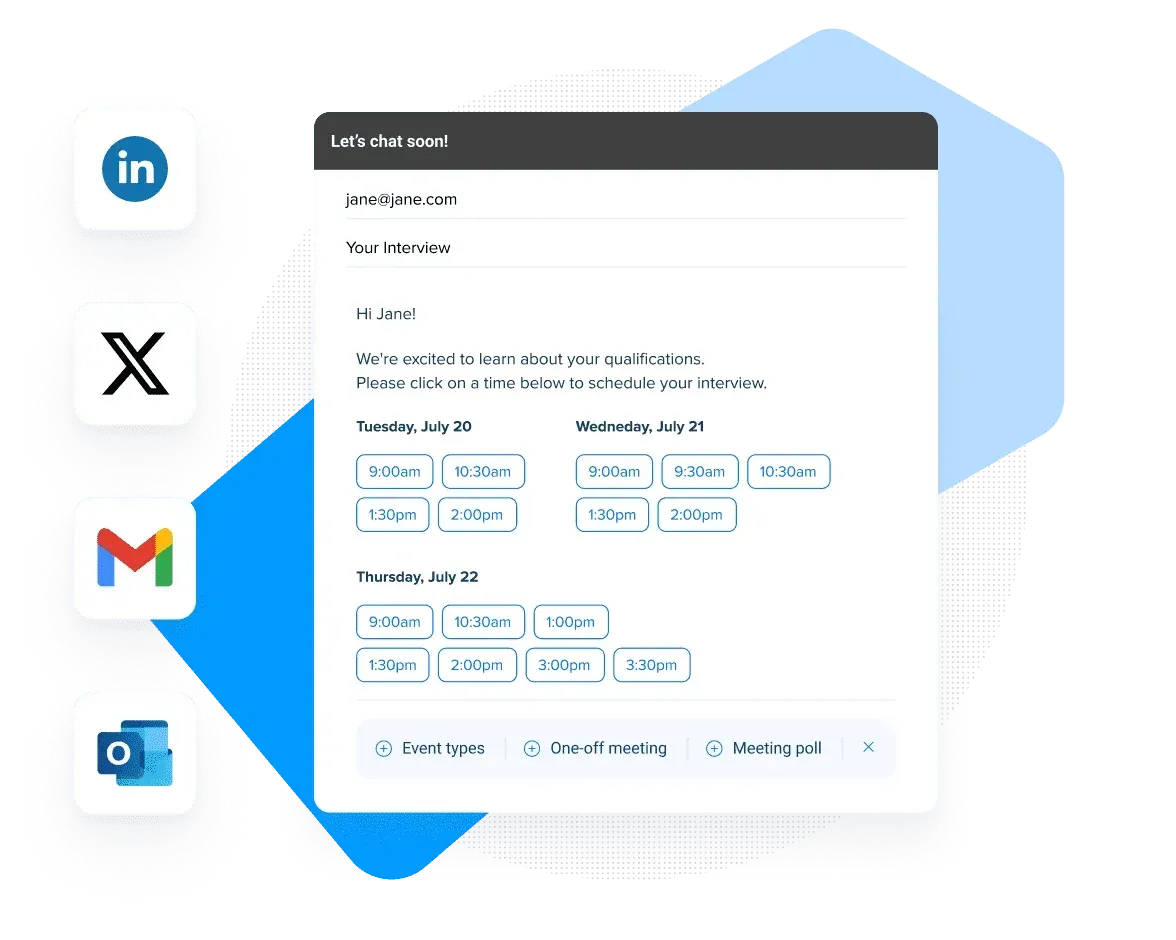
If you are looking for a meeting scheduler alternative (instead of a task management app and calendar) then consider Calendly.
Calendly is one of the top calendar tools on the market, helps account for different time zones, and will help provide available meeting times to your guests. It also seamlessly integrates in with Google Calendar.-
Calendy also has a free forever plan for those who only need one meeting event type.
Vimcal as an Alternative
Vimcal as a Calendar Alternative
Vimcal is a keyboard shortcut-heavy calendar alternative that is trying to be the "Superhuman of Google Calendar".
While we appreciate the approach and were super excited by the vision as we absolutely love Superhuman, we've found that other alternatives like Motion do a better job when comparing Vimcal vs Motion side-by-side.
If you're looking for just a simple yet beautiful calendar though, you might want to compare Cron vs Vimcal as Vimcal might be a bit overkill for you in that case.
Vimcal as a Meeting Scheduler Alternative
Vimcal also has a basic meeting scheduler, which allows for quickly spinning up a plain-text meeting scheduler. The thing is, when comparing Vimcal vs Calendly for example, there's a lot of features missing. So it's best to compare Motion vs Vimcal as they are more similar in functionality.
That said, if you're only looking for a beautifully designed calendar that is fast at scheduling meetings (and you don't need any other capabilities), Vimcal is what you're looking for.
Trello as an Alternative
Trello is known for it's signature use of kanban boards, lists and cards which provides a visual way to organize tasks. Because of it's simplicity, it's one of the most well-known task/project management tools on the market.
Trello is what we'd consider a "project management tool for beginners" due to it's gentle learning curve. It might be useful if you are just wanting a free tool that can help quickly help you start to visualize your process. But you'll likely outgrow it very quickly.
While Trello was the first app to visualize your projects in a kanban view, this feature is now widely adopted among almost every project management tool on the market. We used Trello here at Efficient App for years, before ultimately switching to Asana, when they too added kanban functionality, as we felt that Trello sort of got a bit stuck, while their competitors were evolving and working to further innovate in the project management space.
Because Trello's stagnation, it's not an alternative we'd highly recommend, simply because there are much more innovative tools on the market now (most of which are listed in this article).
Get Trello here.
Clockwise as an Alternative
Clockwise is clear in their focus on helping teams find focus time. This means that if you're an individual, or a small team that doesn't have many internal meetings, Clockwise is not right for you.
If the main goal that you have is getting your team to have all of their internal meetings optimized to give everyone a calendar that is optimized for focused time blocks, that's exactly where Clockwise excels.
If your team has ample meetings per day, and there are complaints of "never being able to get focus work done" then that's when you might want to introduce Clockwise. But don't count on Clockwise for task or project management—you'll need another tool for that.
Try Clockwise For Free.
Airtable as an Alternative
Airtable is a database (you can use it as a replacement to Google Sheets for example). Because of it's versatility, some folks get excited about the idea of what Airtable can do since it is almost endlessly customizable.
Airtable as Project Management Alternative
Because of Airtable's flexibility, you are technically able to use it for task management or project management but in terms of functionality, it doesn't compete with the likes of Motion, Sunsama, Akiflow, Asana, Monday, ClickUp, etc.
Airtable won't work well as a project management for complex projects, it will easily become confusing to navigate. While Airtable might work for very basic project management if you're a super small team (1-3), the time you spend setting it up and figuring out "how to best use it" is better spent on actually getting your work done. With that, using another alternative on this list that is more opinionated in terms of project management and has more features pre-built for managing projects, will be a much better choice long-term.
Airtable as CRM Alternative
Airtable is not a traditional CRM software, it's first and foremost a database (you can use it as a replacement to Google Sheets for example). Just like some people use Google Sheets as a CRM, you can also "technically" use Airtable as a CRM—though it's not something we ever recommend.
The reason is because Airtable lacks the main features of a CRM, like ingesting all your teams emails in one place. Further, because there is unlimited flexibility with Airtable, you can get stuck spending dozens, if not hundreds of hours, configuring Airtable to function as a CRM. And more likely than not, the tool will lack proper adoption as there are little guardrails when using the tool for CRM purposes and everyone can kind of use it "how they want".
In general, while Airtable tries to position itself as a contender in the CRM space due to it's customization abilities, it's the main reason why we advise teams not to go down this path. It will likely lead to overwhelm and sunken time that could have gone into setting up a proper CRM that will scale with time.
If you're tempted to use Airtable as a CRM, we'd recommend folk instead as it will still give you a similar database like structure, all while providing CRM features at the core.
Wrike as an Alternative
Out of all the Wrike alternatives for project management, Wrike is often the tool favored by larger organizations or teams with complex, multi-faceted projects requiring advanced project management features and deep customization. Wrike is more of an enterprise-level project management tool (think similar to the Salesforce of project management).
While Monday and Asana are more user-friendly in terms of their user interface, Wrike's interface has a steeper learning curve due to its extensive features.
Integrations
Wrike’s integrations are particularly beneficial for enterprise-level software ecosystems, think Salesforce, Adobe Creative Cloud, Jira, SAP, ServiceNow, and Tableau.
Reporting & Analytics
Wrike has an edge in advanced reporting and analytics compared to Asana and Monday.com, offering detailed insights that are crucial for large teams and complex projects.
In summary, unless you're an enterprise company, do not consider Wrike. If you're a team with under 1000 employees, Wrike alternatives like Asana or Monday will be much better suited for your team.
Start Wrike free 14-day trial.
Subscribe to Our New Letter
Popular Comparisons
Top Project Management Software
Top Daily Planner Software
Top Email Clients
Top Productivity Software
Top CRM Software
Top Browser Software
Top Time Tracking Software
Top Help Desk Software
Top Expense Management Software
Top Calendar & Scheduler Software
Top Knowledge Base Software
Top No-Code Builder Software
Top Website Builder Software
Top URL Shortener Tools
Top Payroll & Benefits Software
Top Social Media Management Software
Popular Alternatives
Motion Alternatives
Sunsama Alternatives
Akiflow Alternatives
Asana Alternatives
HubSpot Alternatives
Pipedrive Alternatives
Copper Alternatives
General
About
Newsletter (Subscribe)
Customer Success
Stories
App
Top Picks
Software Discounts
Software Stacks
Podcast
Videos
Blog
Privacy Policy
Terms & Conditions
©2019–2024 Efficient App